Home / Reference / ONTAP error messages
ONTAP error messages index
The messages that show up in event log show, ems alerts, and console logs during real incidents — what each one actually means and the fix that clears it. Type to filter.
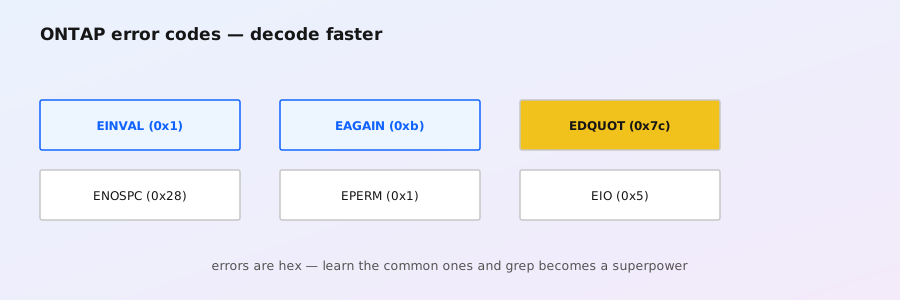
Search by message ID, event name, subsystem, or symptom. The identifier column shows the string as it typically appears in logs: EMS event names for ONTAP 9, classic WAFL/CIFS message codes for older generations. Exact codes and severities vary by release — confirm with event catalog show -messagename <name> on your cluster before automating around any of these.
| Identifier / message | Subsystem | What it means | Quick fix |
|---|---|---|---|
WAFL-15001“Aggregate <aggr> is nearly out of space” | WAFL / capacity | Aggregate crossed the nearly-full threshold (default 98% of the WAFL reserve calculation). Delayed allocation is turned off, so write performance can drop; snapshot auto-delete may kick in. | Free space: delete old snapshots (snapshot delete), check for runaway files (volume show -fields used), add disks to the aggregate, or enable autosize if it applies. Don't ignore it — the next stop is full. |
WAFL-15002“Aggregate <aggr> is out of space” | WAFL / capacity | Aggregate is truly full. Writes that need new space fail; dedupe and compaction jobs stall. This is the emergency state. | Act fast: delete or expire snapshots, remove junk files, move data off (volume move), or add disks. If nothing is deletable, add shelf capacity first, then investigate what consumed it. |
wafl.vol.nearlyFull / wafl.vol.full“Volume <vol> is nearly out of space” | WAFL / capacity | Volume-level space warning, separate from the aggregate. The volume is inside the snapshot reserve or close to its own limit. | Check volume show-space: snapshot copies inside the volume, then files. Grow with volume size, enable -space-mgmt autosize, or trim old snapshots. |
| “Delayed allocation of blocks has been disabled” | WAFL / capacity | ONTAP switched off delalloc for an aggregate that hit the nearly-full threshold — a side effect of WAFL-15001. Block allocation now happens synchronously, which slows large writes. | Treat as a space problem: free or add space; delalloc re-enables automatically once the aggregate recovers. |
“Insufficient space on volume” / write fails with ENOSPC | NFS / capacity | Client sees “No space left on device” while the aggregate has room. Volume is full, or the write would violate the snapshot reserve, or the FlexVol is at its max size. | volume show-space -volume <vol>; delete snapshots, grow the volume, or set -space-guarantee none only after understanding the guarantee trade-off. |
“No such file or directory” on NFS mount (ENOENT) | NFS | Mount path doesn't resolve on the server: export path typo, wrong vserver name, junc path doesn't exist, or the LIF isn't serving NFS for that SVM. | vserver export-policy show, confirm the junction (volume show -vserver <v> -junction), test with mount -t nfs <lif>:/<path>, and check vserver nfs show is enabled. |
“Permission denied” on NFS (EACCES) | NFS | Export policy rejected the client, or UNIX/NTFS mode bits on the file deny the access. Classic causes: missing export rule for the client netgroup, -rorule only, root squash applied to a host that needs root. | vserver export-policy rule show; add/match the client match entry, check -superuser and squash settings. Then verify file-level perms with nfs4acl show or mode bits. |
“Stale file handle” (ESTALE) | NFS | Client holds a handle for an object the server has since deleted, renamed, or moved (volume move/relocate, file deleted by another client, re-export). | Remount the share on the client, or exportfs -r on the server for NFSv3. For persistent ESTALE after a volume move, delete and re-add the export or remount fresh. |
| “Connection timed out” during NFS mount | NFS / network | Client can't reach the data LIF: firewall blocking 2049/111, LIF down or hosted on a node with the ports down, wrong subnet routing. | network interface show, confirm the LIF is up and on the right home node (network interface show -curr-node), check routing both ways, test telnet <lif> 2049. |
NFSv4: “Operation not permitted” / “No such file or directory” with sec=krb5 | NFS / Kerberos | Kerberized mounts failing usually means the client principal, SPN, or clock are wrong — the server drops the RPC before it reaches the filesystem. | Check vserver nfs kerberos show, re-kinit on the client, verify DNS resolves the server by its exact SPN name, and check clock skew (NTP). Test with sec=sys to isolate auth vs data-path issues. |
| “Session setup failed with error NT_STATUS_LOGON_FAILURE” | CIFS / SMB | The SMB session itself failed to authenticate: wrong password, account disabled, or the client sent the wrong domain/username. | Check the account in AD, confirm the user typed DOMAIN\user correctly, verify the CIFS server machine account is healthy (vserver cifs show, vserver cifs domain-servers show). |
NT_STATUS_ACCOUNT_LOCKED_OUT | CIFS / SMB | AD lockout policy kicked in after repeated bad-password attempts (often a service account or a script with a rotated password). | Unlock in AD, then find the offender: check vserver cifs session show and audit logs for the source. Fix the credential holder, don't just unlock. |
NT_STATUS_ACCESS_DENIED on a share | CIFS / SMB | Auth succeeded but access is denied — share-level ACL and NTFS-level permissions both have to allow it. Also caused by SMB signing/encryption requirement mismatches on some clients. | Walk the chain: share ACL (vserver cifs share show -share <name>), then NTFS perms (vserver security file-directory show). Remember deny entries and inherited ACEs. |
| “CIFS server <name> failed to start” (machine account / SPN conflict) | CIFS / SMB | The CIFS server can't join or keep its AD identity: a stale computer object with the same name, duplicate SPNs, or clock skew breaking Kerberos registration. | vserver cifs delete and recreate, or fix the AD object: remove stale computer account, verify SPN uniqueness with setspn -q, ensure NTP is correct. |
“Clock skew too great” (KRB_AP_ERR_SKEW) | Kerberos / auth | Client and KDC (or ONTAP) clocks differ by more than the allowed skew (usually 5 minutes). Every Kerberized mount/login fails at once — a classic after a VM was paused or NTP broke. | Fix NTP everywhere: cluster time-service ntp servers show, add/verify servers, resync clients. Then retry; no other auth change is needed. |
| “Failed to find a sync marker: entry doesn't exist” | SnapMirror | A SnapMirror relationship lost track of the common snapshot between source and destination — typically after an out-of-band snapshot deletion, a failed transfer, or resyncing to a different base. | Check snapmirror show -fields state; if the relationship can't advance, re-initialize (snapmirror resync or delete/recreate with -initialize). Never delete common snapshots manually while a relationship depends on them. |
snapmirror.transfer.failed“Transfer failed: network is unreachable” / “destination unreachable” | SnapMirror | The source SVM can't reach the destination SVM's intercluster LIFs: routing, firewall (port 10566/443 for IP, 8023 for FC), or the destination LIF is down/not on an intercluster network. | network interface show -role intercluster on both sides, network route show, ping the peer LIF, verify SVM peering (vserver peer show) — and that the destination SVM's intercluster LIFs are up on the right nodes. |
| “Relationship is not initialized” / “update failed: relationship is not ready” | SnapMirror | Trying to snapmirror update before the initial baseline transfer completed, or after a re-create without -initialize. | Run snapmirror initialize -destination-path <dst> and wait for state snapmirrored before scheduling updates. |
| “Snapshot copy <name> is locked / busy” (deletion refused) | Snapshots | Something holds a reference to the snapshot: an active SnapMirror/SnapVault relationship, a backup application (SnapCenter, NDMP), or a clone. ONTAP refuses to delete it. | Find the holder: snapshot show -fields owners,locking-owner, check snapmirror show for relationships using it. Break the dependency, then delete — or snapshot delete -ignore-owners true only when you've confirmed the owner is stale. |
| “Snapshot reserve in aggregate <aggr> is nearly exhausted” | Snapshots / capacity | The aggregate's snapshot reserve (default 5%) is nearly full of snapshot data — aggregate snapshots are about to start deleting or being blocked. | Review snapshot show -fields snapmirror-label,create-time and prune old ones, or raise the reserve (aggr modify -snapshot-reserve) after checking why snapshots grew. |
| “Disk <name> has been marked failed” | RAID / disks | ONTAP detected a failed disk (error counts, PFA) and took it out of service; the owning aggregate is now degraded and rebuilding from parity if a spare was assigned. | storage disk show -state failed, storage disk show -fields container-type to see if a spare took over, replace the disk. Monitor rebuild with storage aggregate show-status. |
| “Aggregate <aggr> is degraded” | RAID / disks | One or more disks in the RAID group are failed/missing. The aggregate still serves data (RAID-DP/TEC redundancy) but has no protection left for further failures. | Replace failed disks, confirm a spare was consumed (storage aggregate show-status), and wait for reconstruction to finish. Check shelf health before reseating anything. |
| “Shelf <n> is down” / “Shelf loss detected” | Hardware / disks | ONTAP lost communication with a disk shelf: cabling, IOM module failure, or power. All disks behind it drop, which can degrade every aggregate that uses them. | Check shelf LEDs, reseat IOMs and cables, verify both SAS paths (storage shelf show -state). One healthy path keeps the shelf online; don't pull both IOMs at once. |
| “No spare disks available” / “Spare pool is low” | RAID / disks | The system has run out of spare disks, so a failed disk leaves the RAID group unprotected instead of triggering an immediate rebuild. | Add disks (storage disk replace after inserting), or move disks between spare pools (storage disk modify -pool) so both nodes have spares of the right type. |
| “Disk <name> is not owned” / ownership mismatch | Disks / ownership | Disks aren't assigned to a node, or were re-cabled and now belong to the wrong node — common after shelf moves, reinit, or hardware swaps. | storage disk show -ownership, then storage disk assign -disk <name> -owner <node>. For partitioned disks use storage disk partition show and assign per-partition. |
| “Node <node> is not eligible for takeover” | HA / takeover | Storage failover can't take over the partner: partner is in an incompatible state (rebooting, halted, takeover in progress) or a takeover veto applies (e.g. unhealthy aggregate). | storage failover show for state, storage failover show-takeover for veto reasons, and clear the veto (often an offline aggregate or a SnapMirror to the partner) before retrying. |
| “Giveback failed for aggregate <aggr>” | HA / giveback | After takeover, returning the aggregate to its home node failed — the partner can't complete giveback (often because takeovers/givebacks were forced or the partner needs a reboot). | storage failover show-giveback for the veto list, resolve each item, retry storage failover giveback. Don't force giveback until you understand the veto — forced giveback can disrupt data access. |
| “Cluster HA pair status: not connected” | Cluster / HA interconnect | The cluster interconnect (e0a/e0b or cluster ports) between HA partners is down or flapping — cluster communication and takeover capability are affected. | network port show / cluster ha show, check interconnect cabling and port health, review system node run -node <n> sysconfig -a for link status. Reseat/replace before anything else. |
| “Intercluster LIF <name> is down” | Networking / SnapMirror | An intercluster LIF is administratively or operationally down, so replication to/from this cluster fails. | network interface show -role intercluster -state down, then network interface modify -status-admin up or fix the underlying port. Confirm home-node placement (-is-home). |
| “Node <node> is unreachable” (cluster communication failure) | Cluster | A node stopped responding over the cluster network — management or interconnect. The other nodes can't talk to it; jobs and rebalancing stall. | Check cluster show / cluster ping-cluster from a healthy node, node console, and cluster-network connectivity. If the node is hung, planned failover/reboot may be needed. |
| “LDAP bind failed” / “Authentication server is unreachable” (secd) | Security / auth | ONTAP's security daemon (secd) can't bind to LDAP/AD: wrong bind DN or password, LDAP server unreachable, TLS config mismatch, or the account is locked. | vserver services name-service ldap show and vserver services name-service ldap check for the failure detail; verify the bind account and network path; check event log show -messagename secd.*. |
| “KDC is unreachable” / Kerberos ticket errors | Kerberos / auth | ONTAP or clients can't reach the KDC for the realm — DNS failure for the KDC name, firewall on 88/464, or the KDC is down. | Verify vserver nfs kerberos show, DNS resolution of the KDC, and connectivity on TCP/UDP 88. Confirm the realm config matches AD exactly. |
| “Vserver <name> is not running” / “vserver stopped” | Vserver / management | The SVM is administratively down or failed to start after a reboot. All its LIFs and data protocols are unavailable. | vserver show -vserver <name> -instance for the state, then vserver start -vserver <name>. Check the EMS log for why it stopped (often a parent config problem or failed mount of root volume). |
| “Volume <vol> is offline” / “Cannot access volume” | Volumes | The FlexVol is administratively offline — no protocol access until brought back online. | volume online -volume <vol>. If it keeps going offline, check for a failed junction or an automated script/Ansible playbook taking it down. |
| “Quota exceeded for <user> on volume <vol>” | Quotas | A user or group hit a configured quota (space or file count) on the volume. | quota report to see usage vs limit, then either raise the quota (quota policy modify), or clean up the user's files. Remember to quota resize after policy changes. |
| “Command is not permitted” / “Insufficient privileges” | RBAC / management | The logged-in account's role doesn't include the command or the object it touches. | Confirm the intended access in security login role show, or use a more privileged account. Check that the vsadmin/domain admin mapping matches the vserver scope you're working in. |
| “System id mismatch” (after data ONTAP reinstall / reinit) | System / reinit | Seen when reinitializing a cluster from a clean config or swapping boot devices — the cluster believes the node has a different system ID (surviving config vs new install). | In a lab: wipe and re-init cleanly. In production, this is where you stop and engage support — system IDs are baked into the cluster identity and aggregates; forced recovery is destructive. |
How to find the exact event on your cluster: event log show -severity <EMERGENCY|ALERT|ERROR> for recent incidents, event catalog show -messagename <name> for the official description and severity of a specific event, and event route show to check where alerts are being sent. If a message repeats, enable event log show -timezone local and correlate timestamps with the change window — most of these are symptoms of a change, not spontaneous faults.