Home / Certifications / Storage Efficiency
Storage Efficiency
How ONTAP makes capacity go further: thin provisioning, deduplication, compression, compaction, and FlexClone — and how to measure what you're actually saving.
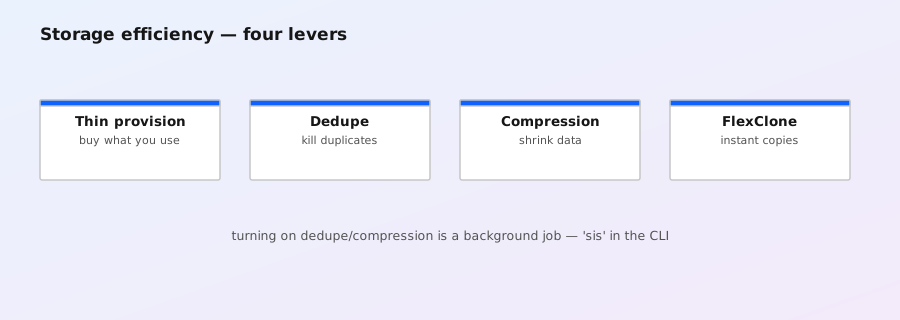
Thin provisioning
- Volumes (and LUNs) can be larger than the physical space behind them; blocks are allocated on first write.
space-guarantee none= thin (FlexGroup default);volume= fully guaranteed (FlexVol default). - Also relevant: SnapMirror/SnapVault destinations are typically thin — they only hold transferred data.
- Thin = you must monitor aggregate utilization; overcommitment gone wrong fills the aggregate and hits every volume on it. (See the volume space guide.)
Deduplication
- Block-level dedupe: identical 4KiB blocks are collapsed to one physical block with reference counts. Great for VDI, backups, clones, gold images, home drives.
- Runs post-process (nightly background scan, default) and can run inline (as data is written — default on AFF systems; on FAS it's configurable).
- Typical savings: 2:1–4:1 for VDI/backup-style data; less for already-unique data (media files, compressed archives).
- Dedupe is per volume (per FlexVol). Savings are shared with snapshots and FlexClones of that volume (same blocks).
Compression
- Primary (data) compression — compresses data blocks; inline on AFF by default; post-process option on FAS. Typical 2:1 on compressible data (databases, logs, text); near-0 on already-compressed (JPEG, MP4, ZIP).
- Secondary compression — compresses deduplicated blocks (shared blocks compressed once, all references benefit).
- Compaction (ONTAP 9.6+) — packs small 4KiB allocations together to reduce metadata/space overhead; complements compression.
- CPU cost: compression costs some CPU on write; AFF systems are designed to absorb it.
FlexClone
- Instant, space-efficient writable copies of FlexVols (and LUNs), using the same copy-on-write mechanism as snapshots. Clone ≈ snapshot + writeable overlay.
- Use cases: test/dev environments, patch testing, cloning from a snapshot, cloning SnapMirror destinations for reporting.
- Clones share blocks with the parent until modified — so "free" clones still count against the parent's physical usage;
volume clone splitbreaks the sharing (rarely needed).
Measuring savings
# Logical vs physical usage
volume show -fields volume,size,used,percent-used,logical-used,logical-space-used
# Efficiency status and savings
volume efficiency show -volume vol1
# Enable efficiency (if not already)
volume efficiency on -volume vol1
# Aggregate-level view
storage aggregate show -fields percent-used,percent-snapshot-reserve
Reading the numbers
used/percent-used = physical space consumed (what actually matters for aggregate capacity). logical-used/logical-space-used = logical data written by clients. The gap between them is your efficiency savings. A 2 TiB volume showing 1 TiB physical = 2:1 effective.
Why this matters for sizing
- Capacity planning = physical aggregate space, not client-visible volume sizes. Always run the numbers with efficiency in mind — but be conservative: efficiency factors are workload-dependent. 2:1 is a common planning assumption; VDI might get 4:1, video archives might get 1:1.
- The sizing calculator models this: raw disks → RAID geometry → WAFL overhead → snapshot reserve → efficiency factor.
Exam traps to know
- Dedupe/compression operate on physical blocks — savings don't change the volume's logical size, they change how much aggregate space it consumes.
- Inline vs post-process: AFF defaults to inline; FAS historically post-process — a classic multiple-choice trap.
- FlexClone shares blocks with the parent; deleting the parent doesn't reclaim space used by the clone (and vice versa).
- Thin provisioning is about volume size vs physical allocation; efficiency is about reducing physical allocation. Different mechanisms, same goal: stretch aggregate capacity.
- Snapshots + dedupe: deleted-but-snapshotted data still holds physical blocks — snapshot "space" and dedupe "savings" interact.