Home / Reference / ONTAP Select & Virtual Appliance Supportability
ONTAP Select & Virtual Appliance Supportability
ONTAP Select is the "ONTAP on your own hardware" edition — but "your own hardware" has strict limits, and homelab hypervisors like Proxmox are not among them. Here is what Select is, what is officially supported, why Proxmox deployments are a support wall, and what the supported alternatives look like.
1. What ONTAP Select actually is
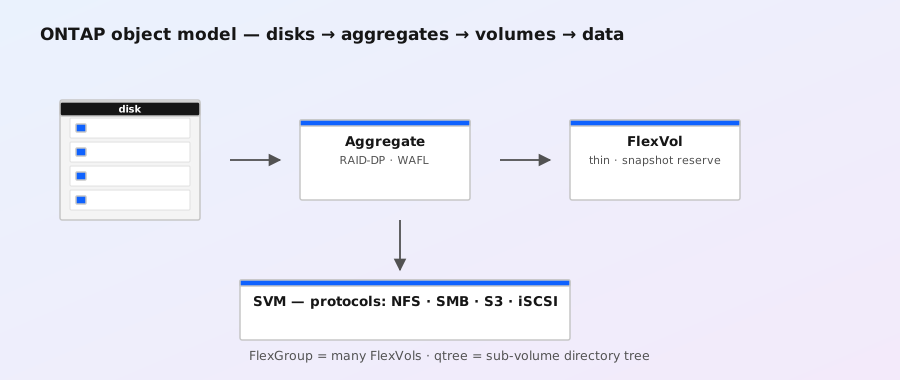
ONTAP Select is NetApp's software-defined edition of ONTAP: the same WAFL/NVRAM core you get on FAS/AFF, packaged as a virtual appliance that runs on commodity x86 servers. You deploy it with the ONTAP Select Deploy administration utility — itself a virtual machine that provisions and manages Select nodes. It shares the ONTAP CLI/API surface, so the cheatsheet and most reference pages here apply, but it deliberately does not support everything a FAS/AFF system does (see the limits table below).
Two things are commonly confused with ONTAP Select — both are different products:
- Cloud Volumes ONTAP (CVO) — ONTAP running in public clouds (AWS/Azure/GCP) as a managed-by-you instance; different deployment model, different licensing.
- FSx for ONTAP / Azure NetApp Files — fully managed ONTAP services where the hyperscaler operates the platform for you. See the FSx guide.
2. Official support matrix
| Hypervisor / platform | Status | Notes |
|---|---|---|
| VMware vSphere (ESXi) | ✅ Supported | The primary supported path for years; check the IMT for the exact ESXi + Select version pair. |
| KVM (Red Hat / CentOS class) | ✅ Supported | Deploy utility ships a KVM-based option; supported on the documented distro versions. |
| Proxmox VE | ❌ Not supported | Not on the support matrix. Deploy utility does not target it; no support, no guarantees. |
| Microsoft Hyper-V | ❌ Not supported | Not a supported Select hypervisor. |
| Nutanix AHV / other KVM forks | ❌ Not supported | Only the documented KVM platforms are supported; forks are not. |
| Bare metal | ❌ Not supported | Select always runs as a VM under Deploy; no bare-metal install. |
| Public cloud (self-managed) | → Use CVO | Select is not the cloud vehicle; Cloud Volumes ONTAP is. |
The authoritative check is always the NetApp Interoperability Matrix Tool (IMT) — the matrix, not a blog post or a forum answer, is what support enforces. Version-specific supportability changes over time; never trust a static page (including this one) over the current IMT.
3. Why Proxmox is a wall — and what happens if you try
Proxmox is KVM underneath, so the natural question is "why not?". The reasons are product and engineering, not snobbery:
- The Deploy utility targets specific platforms. ONTAP Select Deploy knows how to provision and manage nodes on the documented hypervisors. Proxmox is not one of them, so the supported provisioning path does not exist.
- Not every KVM is the same KVM. Support matrices pin specific distro/kernel/qemu combinations. Proxmox's kernel/QEMU stack differs from the tested Red Hat/CentOS stack, and untested combinations fail validation and get no engineering support.
- Storage and device-model assumptions. Select has specific expectations for virtual disks, controller types, and CPU feature exposure. A deployment that "mostly works" on an untested stack can hit subtle performance or stability problems that NetApp will not debug.
- What actually happens: people do get Select VMs running under Proxmox for labs — the internet is full of walkthroughs. It boots, it serves data, it looks fine. The problem is not that it is impossible; it is that it is unsupported: no case, no hotfix, no official procedure when something breaks, and no entitlement to run it that way.
Note the distinction: running ONTAP Select under Proxmox is the unsupported move. Connecting real FAS/AFF arrays to Proxmox over NFS or iSCSI is a completely normal, supported storage configuration — see the ONTAP with Proxmox guide.
4. Before you deploy: the two-minute supportability check
# 1. Confirm what you actually have (if it is already deployed somehow)
version -v
system node show -fields node,model,serial-number
# 2. Confirm the hypervisor the VM reports
# (inside the VM, Linux guests can check with dmidecode/systemd-detect-virt)
systemd-detect-virt
# 3. Check the IMT — search "ONTAP Select" for your version + hypervisor pair.
#    https://imt.netapp.com  — the matrix is the only authority.
If the IMT says the combination is not supported, the honest options are: change the hypervisor, change the product (below), or accept an unsupported lab.
5. Supported alternatives when Select doesn't fit
| Need | Best fit | Why |
|---|---|---|
| Managed ONTAP in AWS | FSx for ONTAP | Hyperscaler operates it; no hypervisor questions at all. |
| Managed ONTAP in Azure / GCP | Azure NetApp Files / Google Cloud NetApp Volumes | Same story, different clouds. |
| ONTAP on your own cloud VMs | Cloud Volumes ONTAP (CVO) | Runs in the supported cloud marketplace images — the "Select but in the cloud" role. |
| Lab ONTAP on commodity hardware | ONTAP Select on supported ESXi/KVM — or a used FAS/AFF | Select is the sanctioned lab path on the supported hypervisors; real hardware is the other. |
Related: FSx for ONTAP · hardware lineup · glossary (ONTAP Select) · decommissioning & repurposing · ONTAP with Proxmox · ← All reference guides