Home / Troubleshooting / SMB/CIFS Deep-Dive
SMB/CIFS Deep-Dive
How ONTAP SMB actually works — share creation, the two-layer permission model, AD/Kerberos integration, SMB 3.x features — followed by the failures that show up in the field and the commands that pin them down.
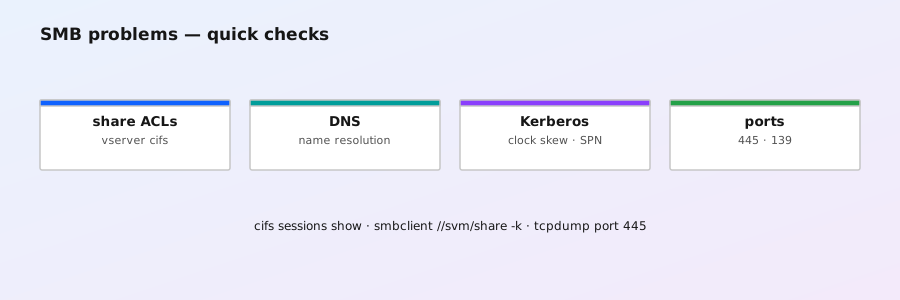
1. The mental model: SVM → CIFS server → share → path
SMB in ONTAP is scoped to an SVM. Each SVM that serves SMB gets its own CIFS server object with its own machine account in Active Directory, its own NetBIOS identity, and its own share list. A share is a name that maps to a path (usually a volume junction). Clients see \\svm-lif\sharename; ONTAP resolves the share to the underlying junction path and applies access control there.
# Create the CIFS server and join AD in one step (prompts for the AD admin password)
vserver cifs server create -vserver vs1 -cifs-server CIFS1 -domain CORP.EXAMPLE.COM \
  -admin-user ad_admin

# Status: is it operational, joined to which domain, DCs discovered?
vserver cifs server show -instance
If the join fails, fix DNS and time first (sections 4 and 6) — 90% of join failures are one of those two.
2. Share management
Shares are thin: they define the name → path mapping and carry share-level properties and ACLs. The heavy access control lives in the filesystem (NTFS ACLs), so get comfortable with both commands.
# Create a share called "docs" pointing at the /docs junction
vserver cifs share create -vserver vs1 -share docs -path /docs

# What exists, and full detail (properties, ABE, CA, encryption flags)
vserver cifs share show
vserver cifs share show -instance

# Share-level ACLs: who can connect at all, and at what level
vserver cifs share access-control show -vserver vs1 -share docs

# Grant the engineers group Change on the share
vserver cifs share access-control create -vserver vs1 -share docs \
  -user-or-group "CORP\engineers" -permission change

# Remove a share (does NOT delete data — only the name)
vserver cifs share delete -vserver vs1 -share oldshare
Share ACL levels are read, change, full-control, and none. Note that vserver cifs share delete never touches the underlying volume — a fact worth remembering when someone asks "will deleting the share delete the files?"
3. Permissions: two layers, both must allow
A Windows user needs to pass both gates: the share ACL (can they reach the share at all) and the NTFS ACL on the folder/files (what can they do once inside). The effective permission is the most restrictive intersection — the classic "share says Full Control but the folder denies" or the reverse.
The security style of the volume decides how ONTAP stores ACLs:
- NTFS — full Windows ACL model (recommended for pure SMB workloads). ACLs are stored per file/folder and applied by ONTAP.
- UNIX — mode bits only; SMB clients get whatever the UNIX mode allows (mapped via a user mapping).
- Mixed — security style set at the directory level; each directory can be NTFS or UNIX. Powerful, but easy to misdiagnose.
# Which security style does the volume/junction have?
volume show -vserver vs1 -volume vol1 -fields security-style

# What does ONTAP actually see for a path? Effective ACL + style + owner
vserver security file-directory show -vserver vs1 -path /docs

# Default share permission check: who can connect if the ACL list is empty?
vserver cifs share access-control show -vserver vs1 -share docs -instanceicacls on a mapped drive — ONTAP stores what Windows sets. ONTAP-side commands exist (vserver security file-directory ntfs create and friends), but they're for automation and recovery, not day-to-day ACL editing.
4. AD & Kerberos: how authentication works
When a client connects, ONTAP authenticates the user against AD (Kerberos by default on domain-joined clients; NTLM as a fallback where allowed), then maps the Windows SID to the filesystem. Three things have to be right or authentication silently degrades:
- DNS — the SVM's domain must resolve, and the AD SRV records must be reachable. ONTAP discovers domain controllers by DNS.
- Time — Kerberos tolerates ~5 minutes of skew. If the cluster clocks drift (bad NTP), authentication fails in confusing ways ("logon failure", repeated password prompts).
- Machine account — the CIFS server's computer object in AD. If it's orphaned, disabled, or its password is out of sync, joins and reconnects fail.
# Which DCs did ONTAP discover, and are they reachable?
vserver cifs domain discovered-servers show -vserver vs1

# DNS config on the SVM — is the domain search list right?
vserver services name-service dns show -vserver vs1

# Clock: NTP servers configured and in sync? (Kerberos depends on this)
cluster time-service ntp server show
cluster date show
Kerberos errors usually surface in the event log as secd messages — the same family as NFS Kerberos failures:
event log show -message-name secd* -severity error5. SMB 3.x features worth knowing
- Multichannel — a single SMB session can use multiple TCP connections (multiple NICs, RSS queues, SMB-aware switches). This is the #1 reason an ONTAP SMB transfer is fast on one host and slow on another: the slow one may be stuck on SMB 2.1 or single-channel. Verify the negotiated dialect per session.
- Encryption — SMB 3.0 encryption per share (
encrypt-dataproperty), or forced cluster-wide withvserver cifs securitysettings. SMB 3.1.1 adds mandatory encryption (AES-128-GCM) and secure dialect negotiation. - Signing — ONTAP can require SMB signing; required by many security baselines.
- Continuous availability (CA) — for SQL Server / other CA-aware workloads: a share with the
continuously-availableproperty survives LIF failover with the client's connection state preserved. - SMB 1.0 — disabled by default on modern ONTAP (9.10.1+). If a scanner reports SMB1, either the cluster predates that or someone re-enabled it.
- SMB over QUIC — available in recent ONTAP releases (9.15.1+) for secure SMB over the internet without VPN; requires a specific license and a QUIC-capable client. Check your release notes before planning around it.
# Negotiated dialects per session — spot the SMB 2.1 straggler
vserver cifs session show -fields remote-address,smb-version,session-id,workstation

# Disable SMB1 (default on 9.10.1+; enforce if it was re-enabled)
vserver cifs server options modify -vserver vs1 -smb1-enabled false

# Force encryption for one sensitive share
vserver cifs share properties add -vserver vs1 -share finance -properties encrypt-data

# CA for an application that needs it (SQL Server, etc.)
vserver cifs share properties add -vserver vs1 -share sql -properties continuously-available

# What options are currently set on the CIFS server?
vserver cifs server options show -vserver vs1
6. The failures that actually happen
| Symptom | Most likely cause | First command |
|---|---|---|
Share not visible / Access denied on connect | Share ACL doesn't include the user/group | vserver cifs share access-control show |
Connects, then Access denied opening folders | NTFS ACL on the path | vserver security file-directory show -path /... |
| Repeated password prompts / "logon failure" | Kerberos: clock skew, DNS, or machine account | vserver cifs domain discovered-servers show + NTP check |
CIFS server shows down / join failed | AD unreachable, bad admin credentials, orphaned machine account | vserver cifs server show -instance (read the error field) |
| Slow copy on one host, fast elsewhere | SMB 2.1 negotiation or single-channel (no multichannel) | vserver cifs session show -fields smb-version |
| Security scanner flags SMB1 | SMB1 enabled (pre-9.10.1 or re-enabled) | vserver cifs server options show |
| Stuck open files / sessions that won't release | Client crash, cached credentials | vserver cifs openfile show → close |
7. The fix commands
# Diagnose: who is connected, what files are open, at which dialect
vserver cifs session show
vserver cifs openfile show -vserver vs1

# Force-close a stuck file (use the file-id from the show above)
vserver cifs openfile close -vserver vs1 -file-id 5231

# Re-establish a broken machine account after AD-side fixes
vserver cifs server delete -vserver vs1
vserver cifs server create -vserver vs1 -cifs-server CIFS1 -domain CORP.EXAMPLE.COM \
  -admin-user ad_admin

# Pre-flight a new share: check the junction exists and its security style
volume show -vserver vs1 -volume vol1 -fields junction-path,security-style
vserver cifs share create -vserver vs1 -share docs -path /docsvserver cifs server delete removes the CIFS server and its shares — data volumes are untouched, but you must recreate shares afterwards. Export the share list first (vserver cifs share show -instance) so you can rebuild it exactly.
8. Prevention checklist
- Pin NTP on all nodes (
cluster time-service ntp server add) — Kerberos health starts here. - Keep SMB1 disabled and require signing where your baseline demands it.
- Force
encrypt-dataon any share crossing a WAN or untrusted segment. - Document share ACLs + NTFS ACL owners per share; permission debugging is 90% of SMB tickets.
- For CA-aware apps, set
continuously-availableon the share and test failover with a live session. - After any AD change (domain renames, DC rebuilds), re-verify
vserver cifs domain discovered-servers show.